Firefly Open Source Community
Title: AIBOX-K3 AI Computer Yumeet Application Usage [Print This Page]
Author: 799959745 Time: before yesterday 11:28
Title: AIBOX-K3 AI Computer Yumeet Application Usage
Last edited by 799959745 In 6/3/2026 11:34 Editor
Yumeetyumeet is a locally run AI meeting assistant desktop application. All audio processing, transcription, translation, and summarization are performed on-device, enabling efficient meeting documentation while keeping sensitive data private.
The application is built on a full speech pipeline — VAD, ASR, speaker diarization, translation, and TTS — paired with LLM-based summarization. It supports real-time microphone recording, offline audio import, meeting archiving, and full-text search across records.
Key Features- Real-Time Speech Transcription: Low-latency, on-device transcription through the integrated speech service.
- Real-Time Machine Translation: Produces translated output alongside the transcription stream.
- AI Meeting Summarization: Automatically generates a structured meeting summary using an LLM.
- Meeting Record Management: Filter, search, rename, and delete past meeting records.
- Local File Management: Save raw audio and export text summaries to local storage.
- Flexible Deployment Options: Runs either as a browser-based web app or as a native Tauri desktop application.
Platform Support| Platform & OS | Supported |
| K1 Buildroot | ❌ No |
| K1 OpenHarmony | ❌ No |
| K1 Bianbu LXQT/GNOME | ❌ No |
| K3 Buildroot | ❌ No |
| K3 OpenHarmony | ❌ No |
| K3 Bianbu LXQT/GNOME | ✅ Yes |
Technical Architecture
Application Stack- Frontend Framework: Vue 3.4+ / TypeScript 5.4 / Vite 5.4
- Desktop Shell: Tauri 2 (Rust)
- Audio Processing: Web Audio API, PCM conversion
- Markdown Rendering: markdown-it + DOMPurify (XSS protection)
- Local Storage: File System Access API
- Visual Effects: Motion V, OGL
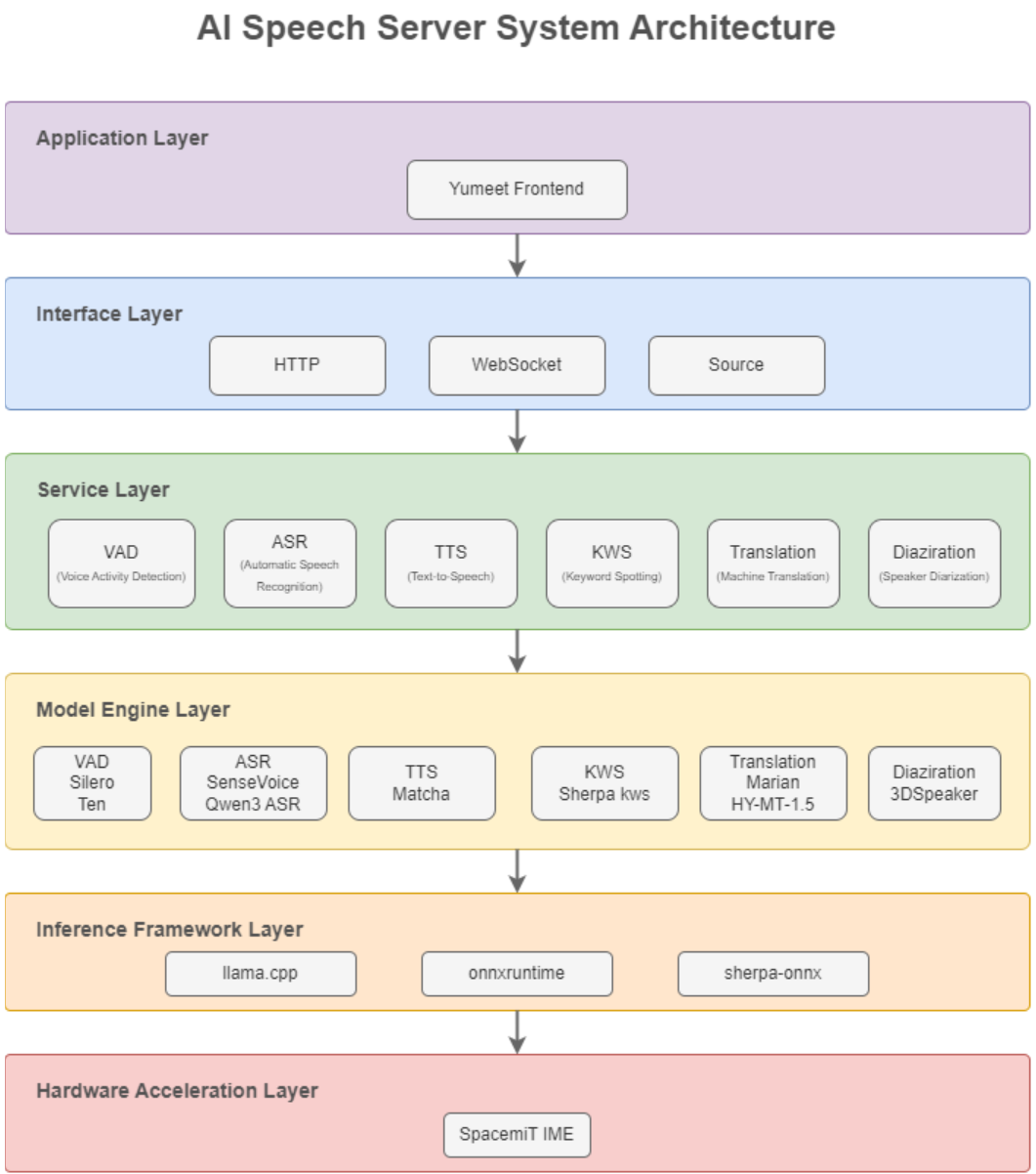
Service DependenciesSystem Architecture DiagramWorkflow Overview- Real-Time Transcription: Start transcription → Audio capture → Speech service processing → Live text output.
- Meeting Summarization: End meeting → Read transcription → LLM generates summary → Auto-save.
- History Retrieval: Enter keyword → Match title / tag / content → Navigate to record detail.
InstallationOn first installation, sm-sdk automatically downloads the required model package (approximately 2 GB).
- sudo apt update
- sudo apt install yumeet llm-sdk sm-sdk
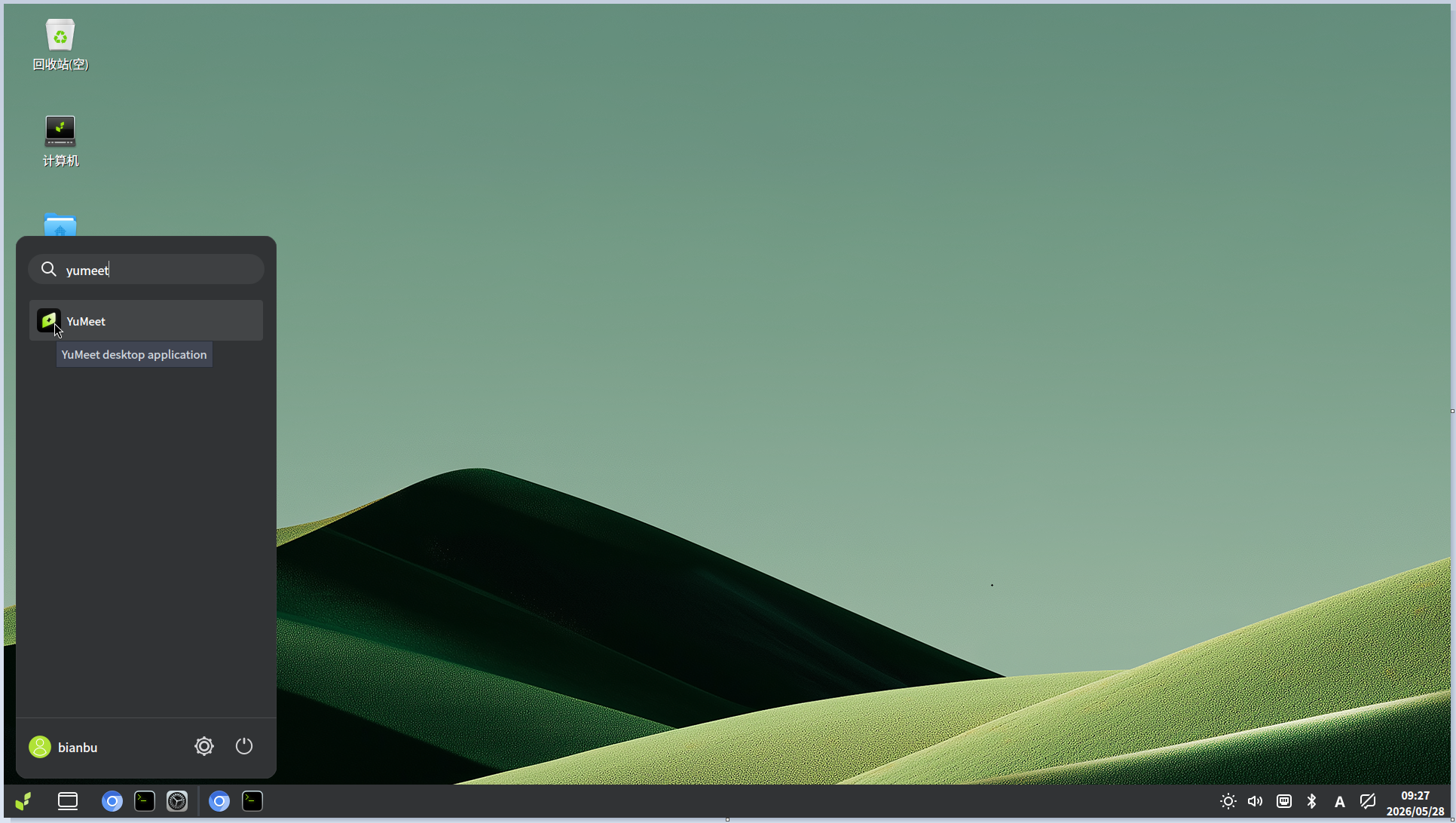
1. Launch the ApplicationOpen the system application menu, search for yumeet, and launch it.
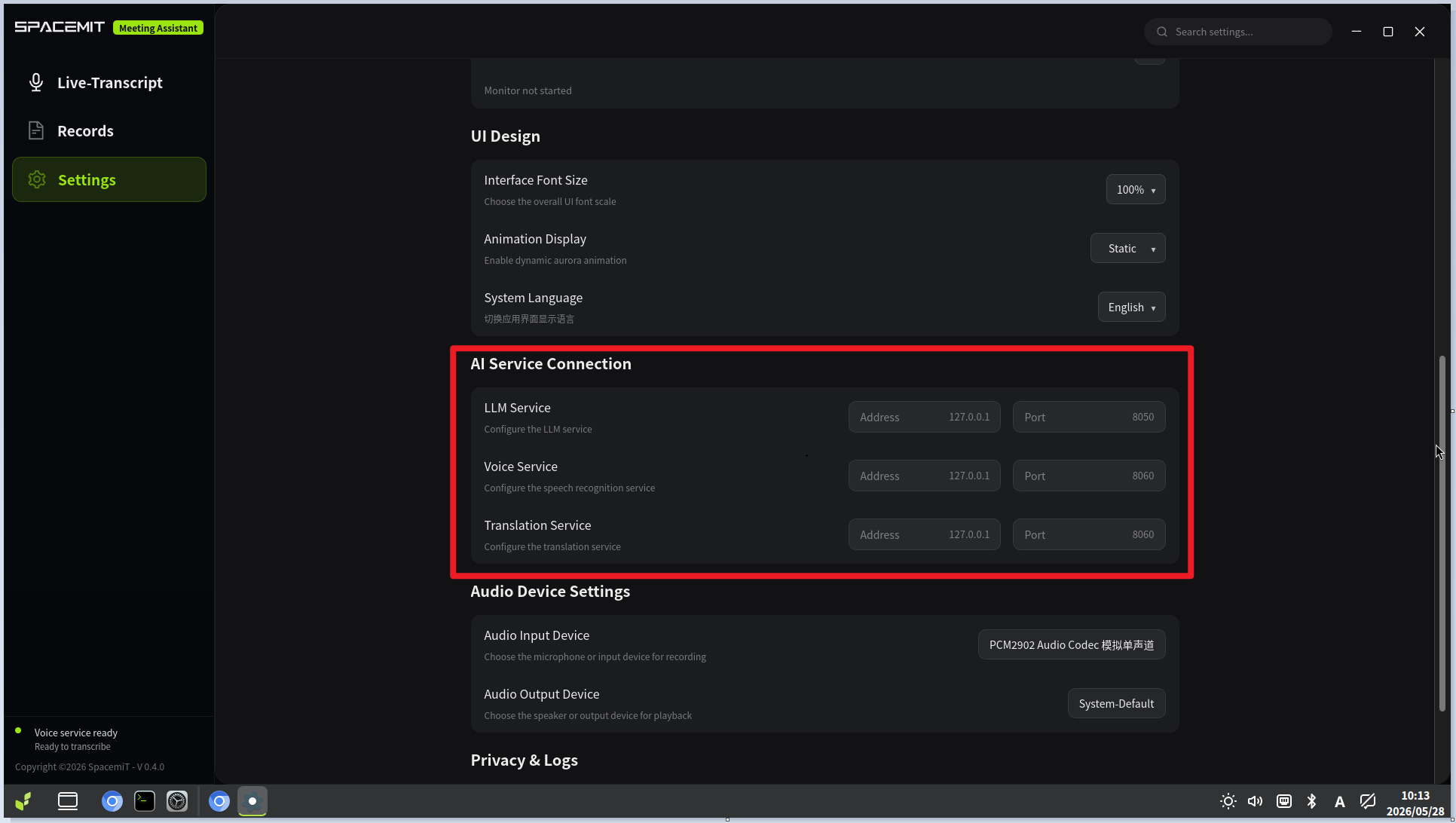
2. Configure AI ServicesOn first use, confirm that the following services are configured correctly:
- LLM Service: Default model Qwen3.5-2B
- Speech Service: Default model Qwen3-ASR-0.6B
- Translation Service: Default model HY-MT1.5-1.8B
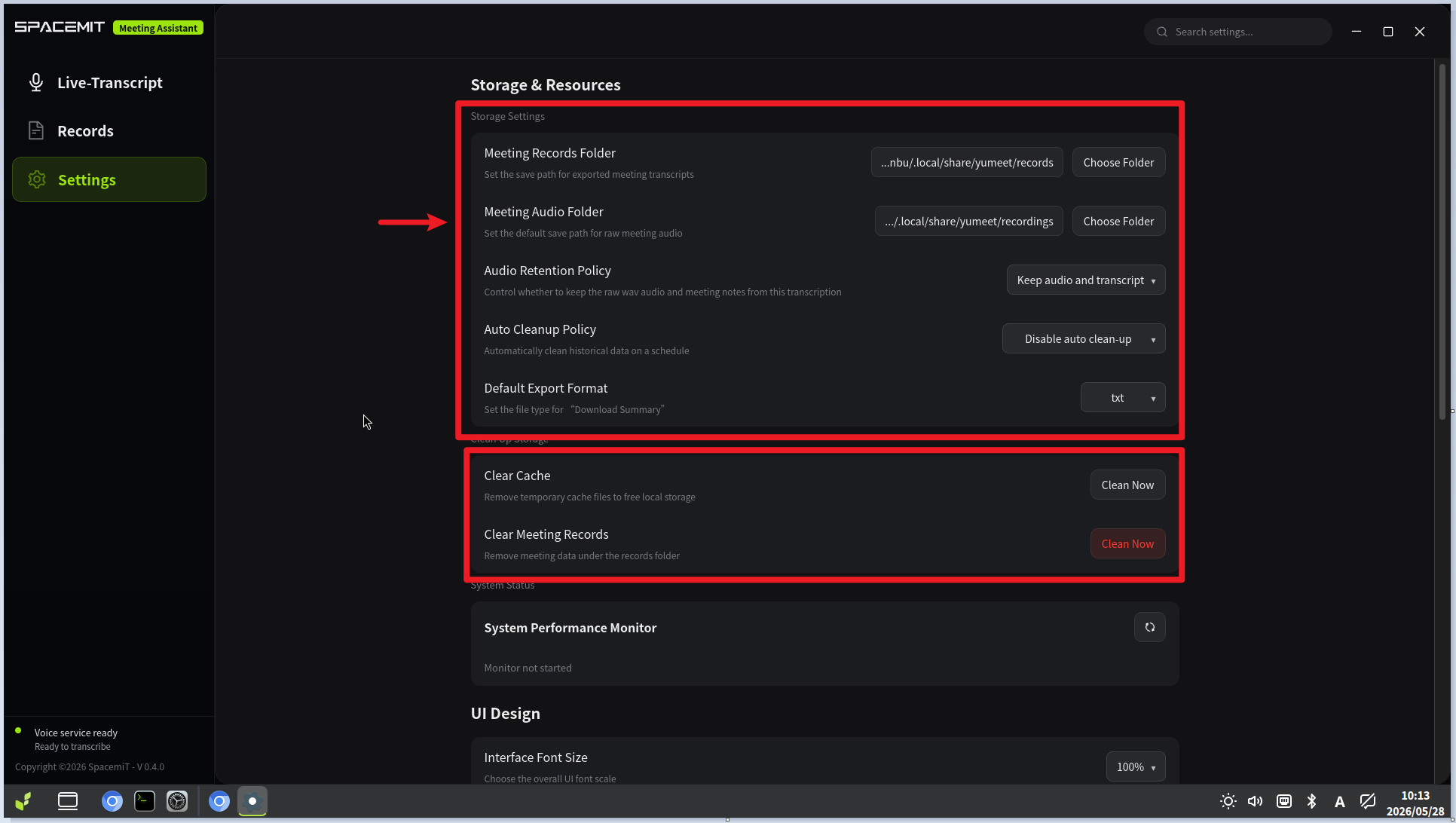
3. Configure Storage PathsTwo storage directories can be configured:
- Meeting Records Directory: Stores TXT, PDF, or Markdown files generated through Download Summary.
- Meeting Audio Directory: Stores backup audio files saved after a real-time transcription session ends.
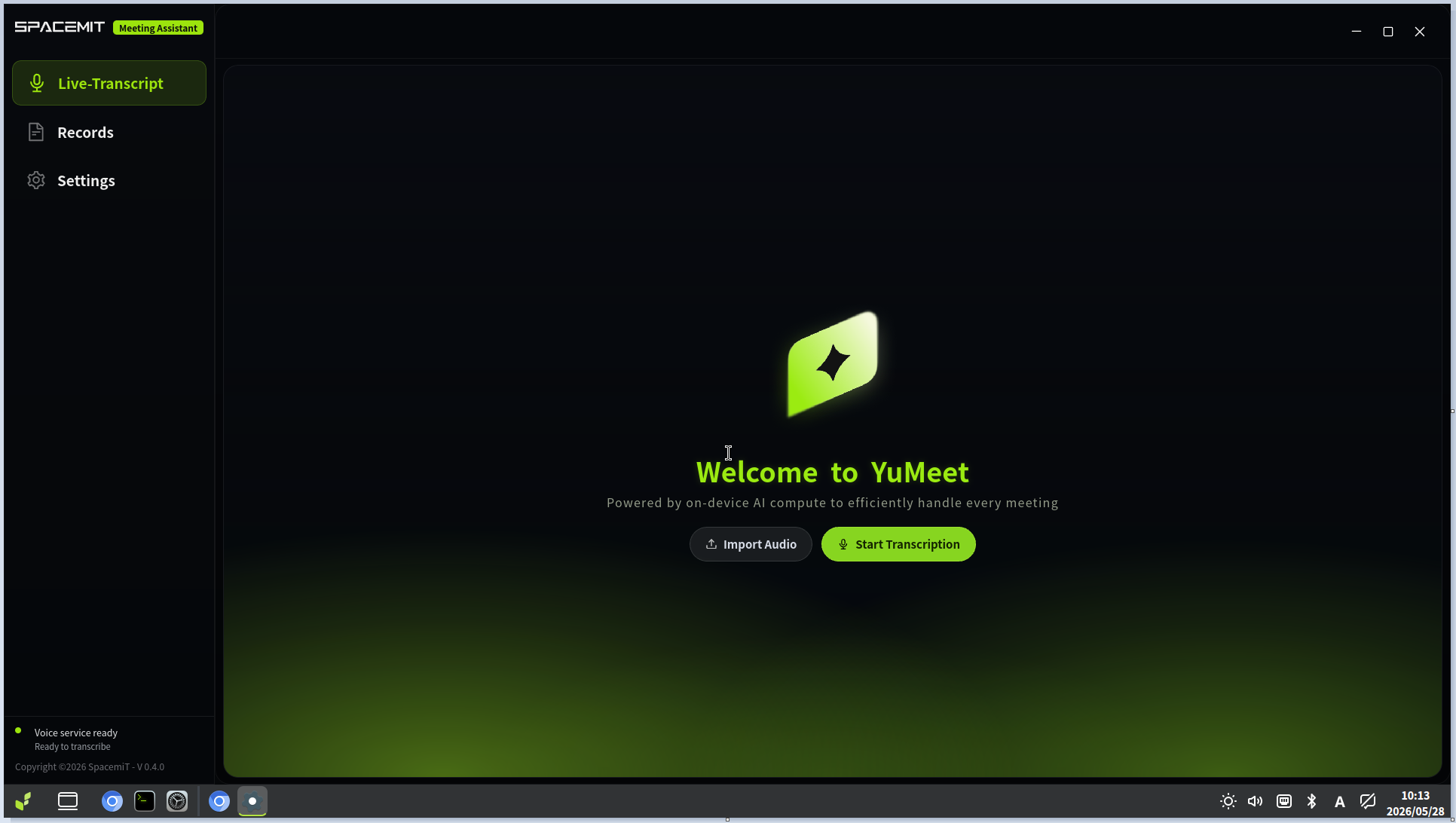
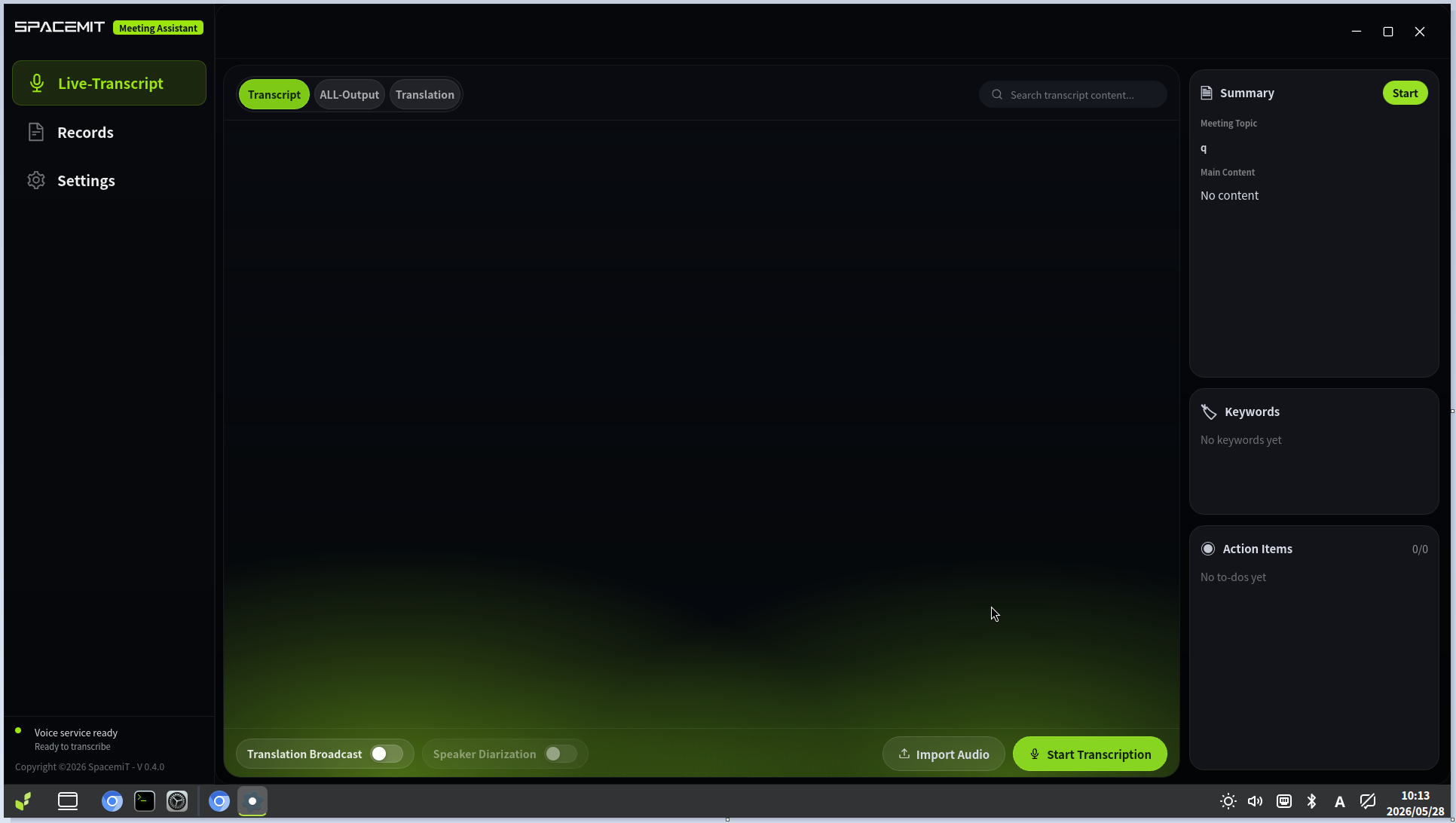
Transcription Features1. Real-Time Transcription (Microphone)1.1 Start a MeetingLive transcription can be started from either of the following entry points:
- Home page entry
- Meeting page entry
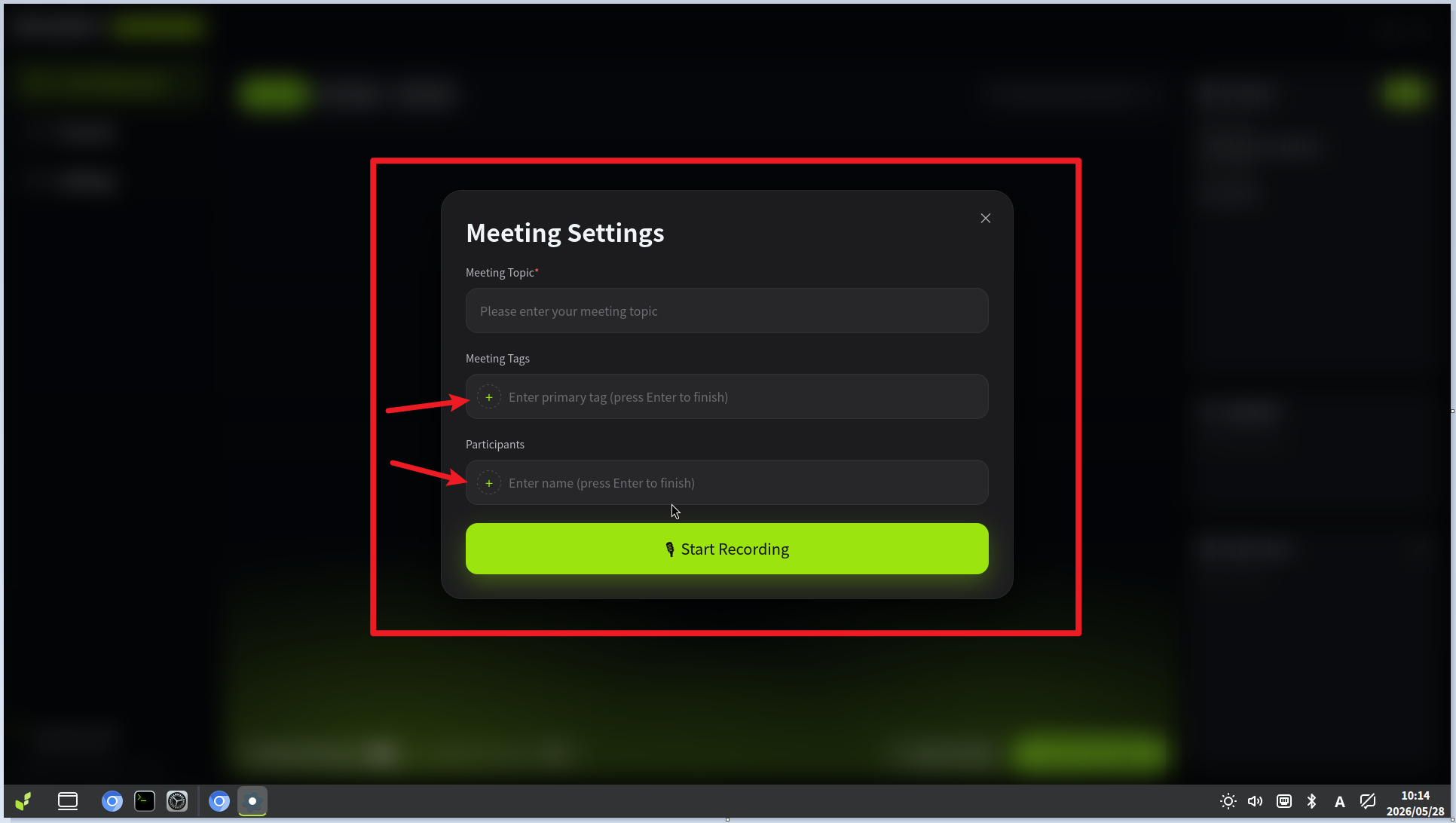
1.2 Meeting SetupAfter transcription begins, the Meeting Setup dialog is displayed.
- Required field: Meeting topic
- Tags and participant entries: After entering a value, click the + icon on the left to add it
Field descriptions:
- Meeting Topic: Displayed as the title of the meeting record.
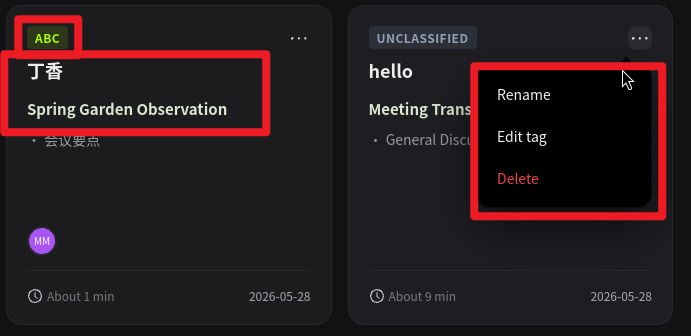
- Meeting Tags: Supports both primary and secondary tags; the primary tag is highlighted at the top of the record card.
- Participants: Supports registration of multiple attendees.
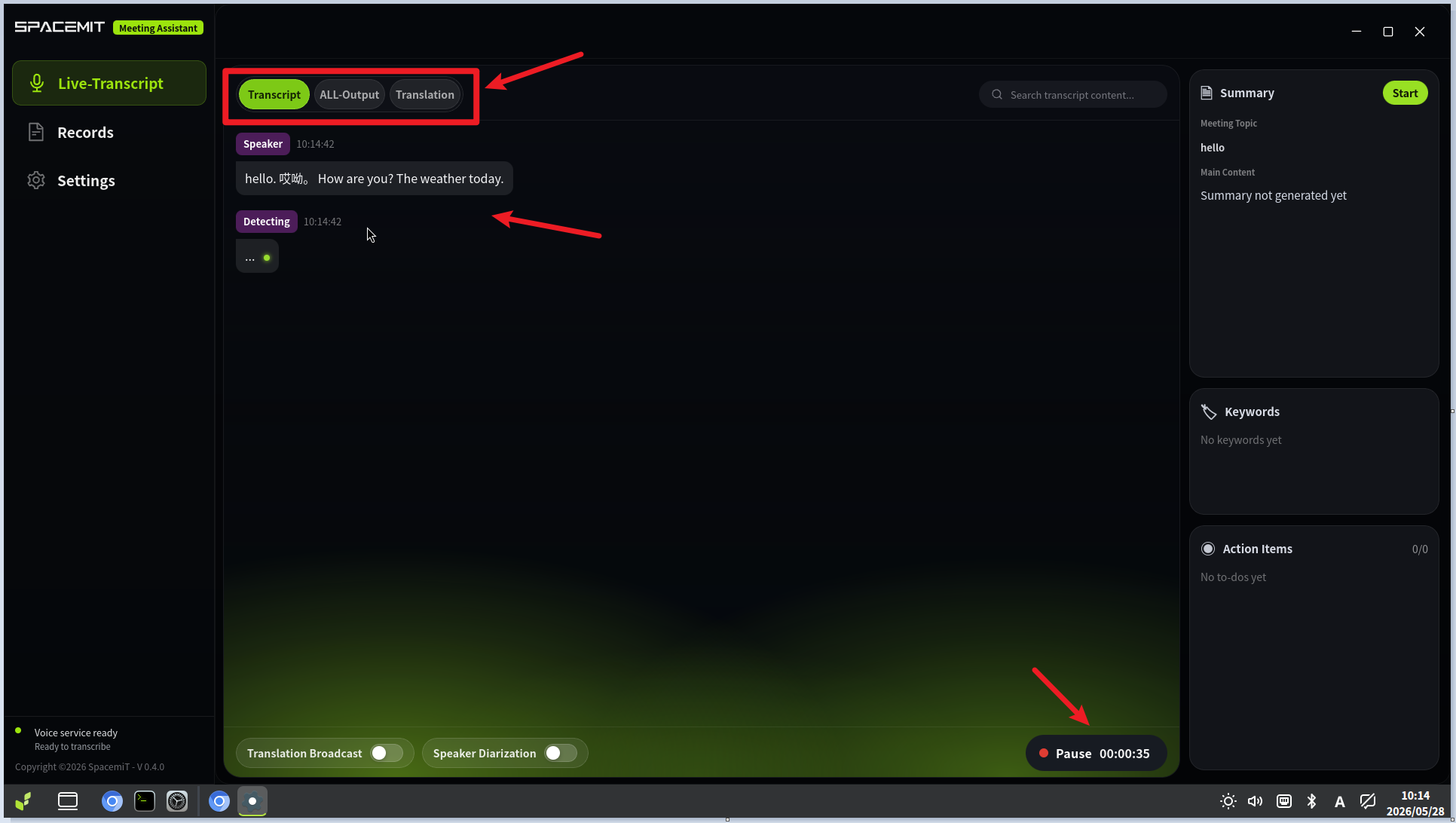
1.3 Transcription in ProgressWhile recording, the interface displays:
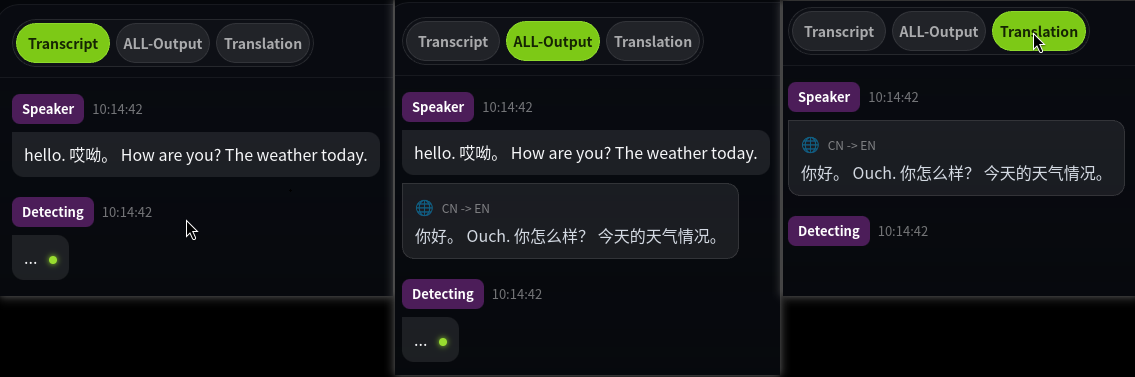
- Live transcription and translation output
- A session timer with pause controls
- A display mode toggle to switch between views
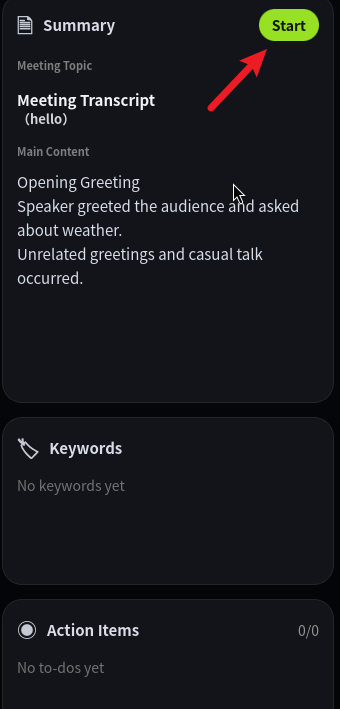
1.4 Generate a Meeting SummaryA summary can be generated in two ways:
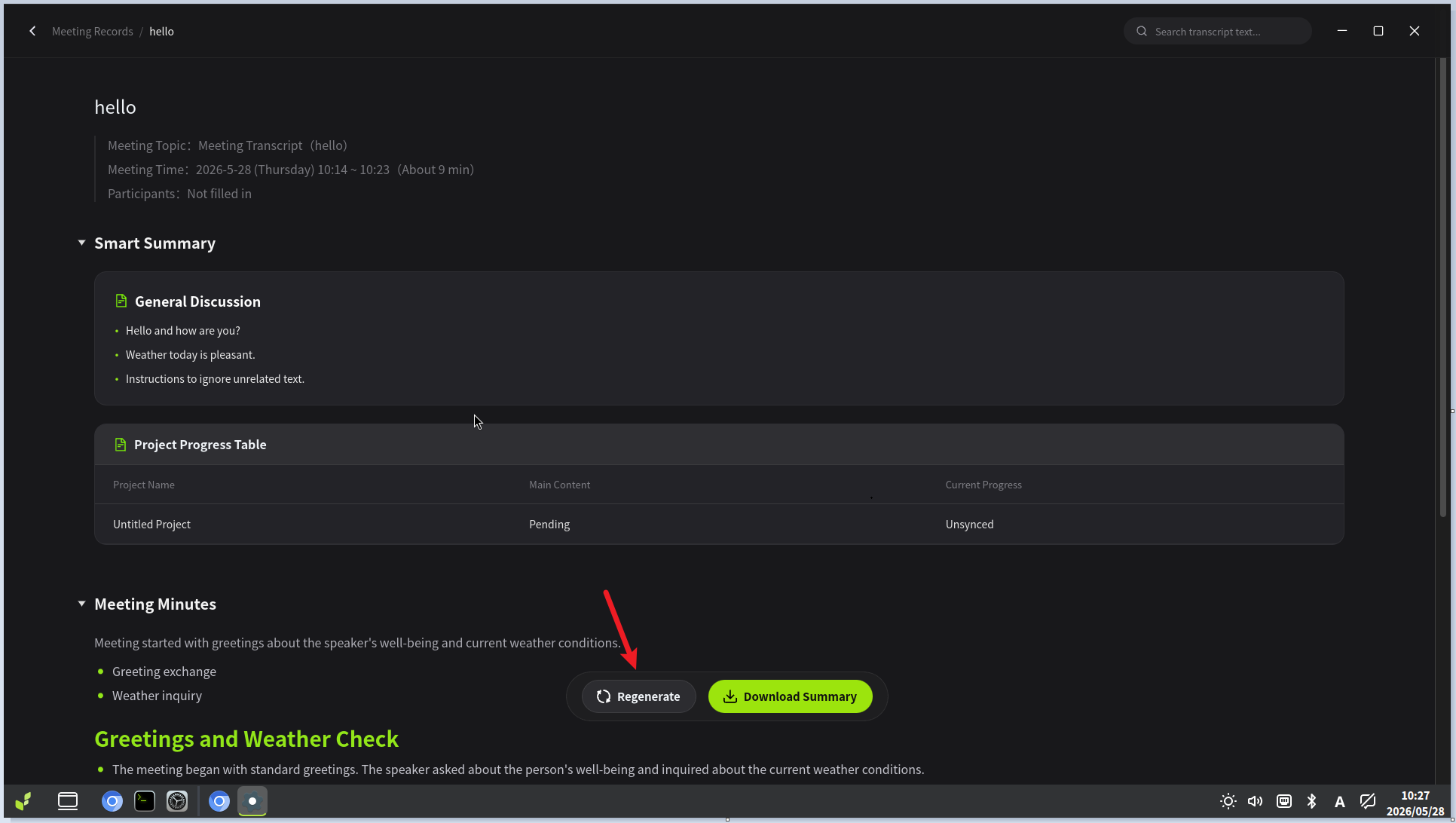
The following images show which services are loaded at each trigger point:
- Clicking Start Transcription or Import Audio loads the speech and translation services.
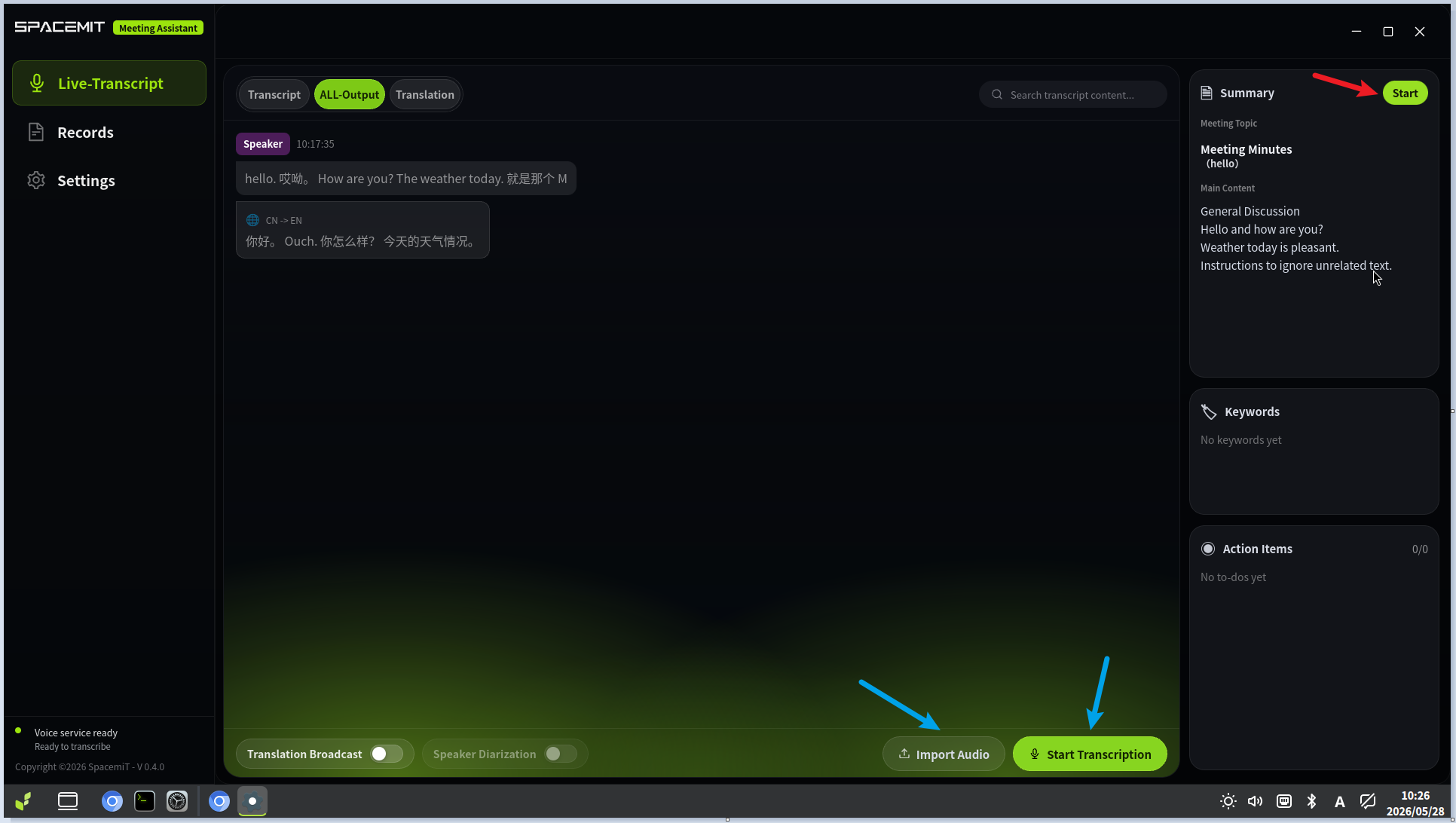
- Clicking Start in Summary or Pause → End loads the LLM service.
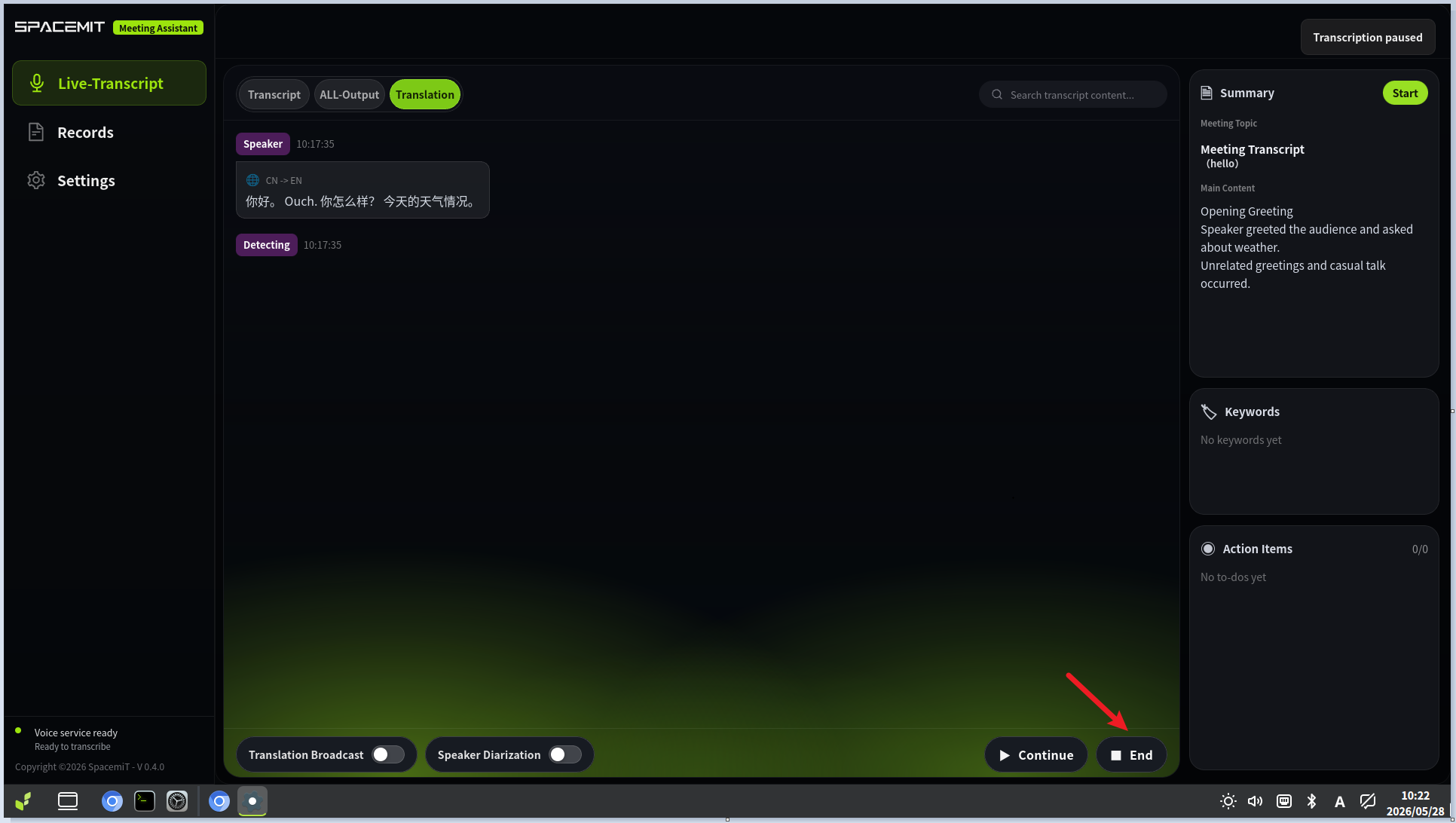
- Clicking Download Summary in the Meeting Minutes section also invokes the LLM service.
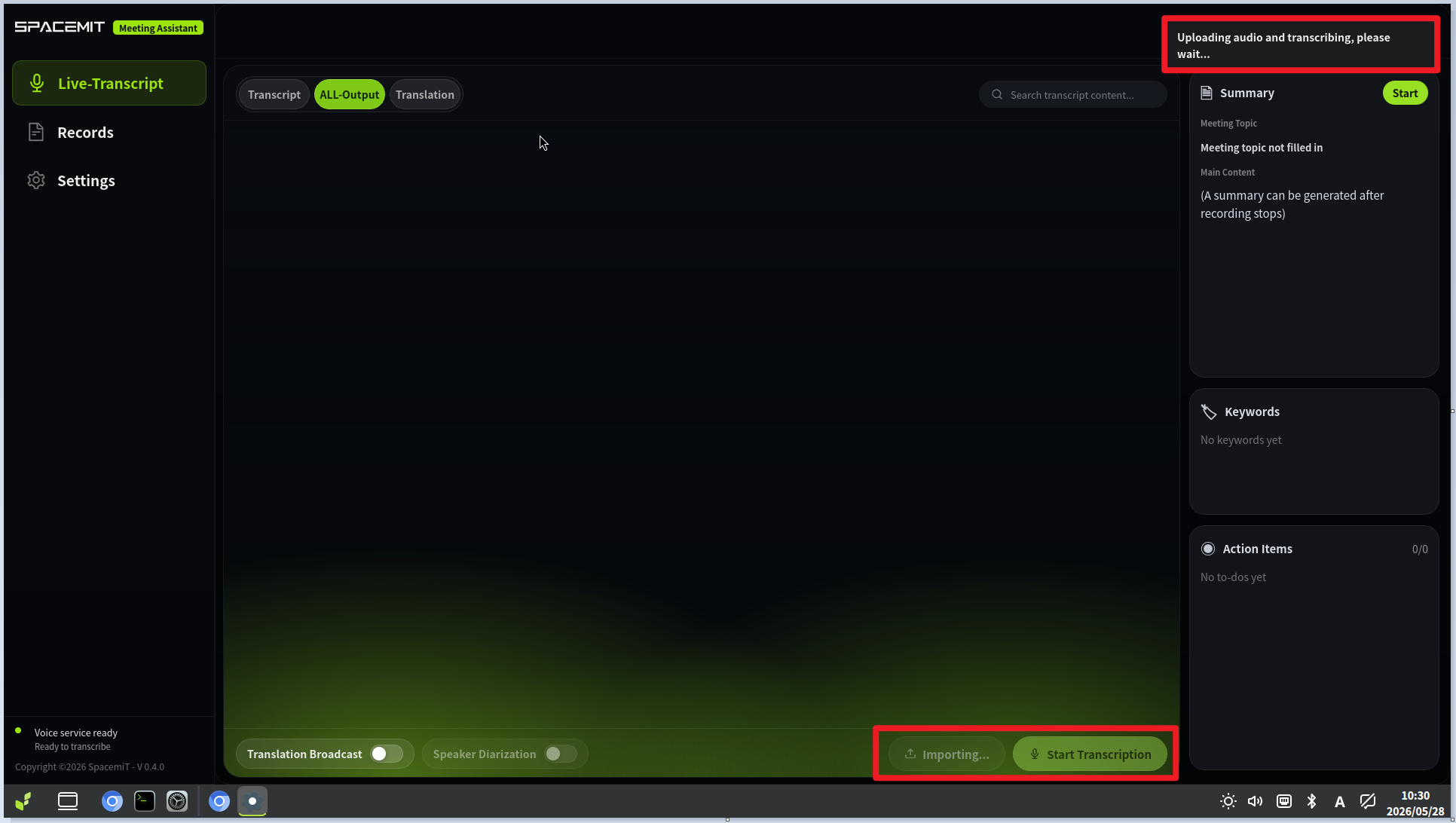
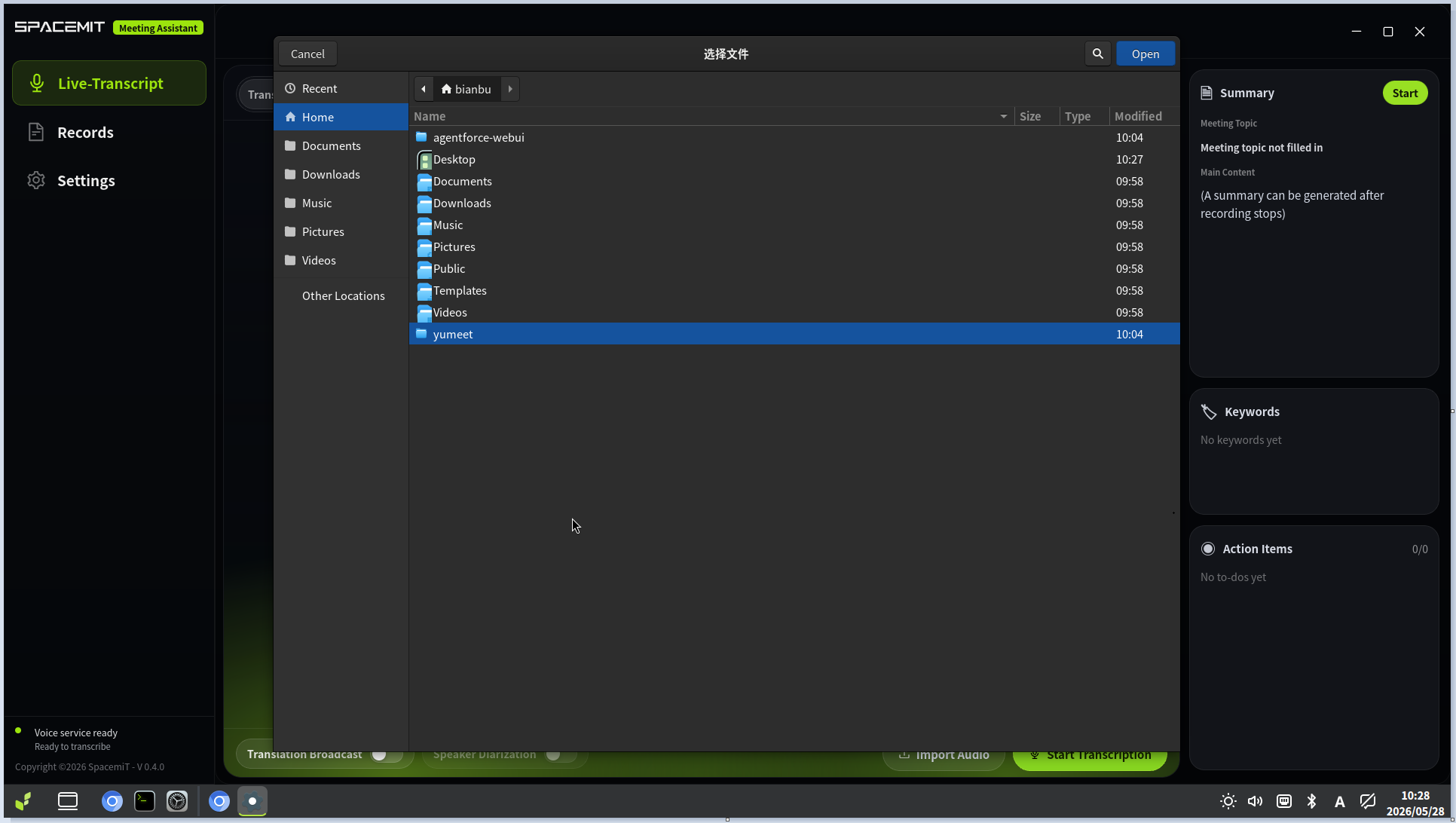
2. Import Audio (Offline Transcription)2.1 Start ImportClick Import Audio to open the file picker.
2.2 Select a FileSupported audio formats include wav, mp3, and m4a.
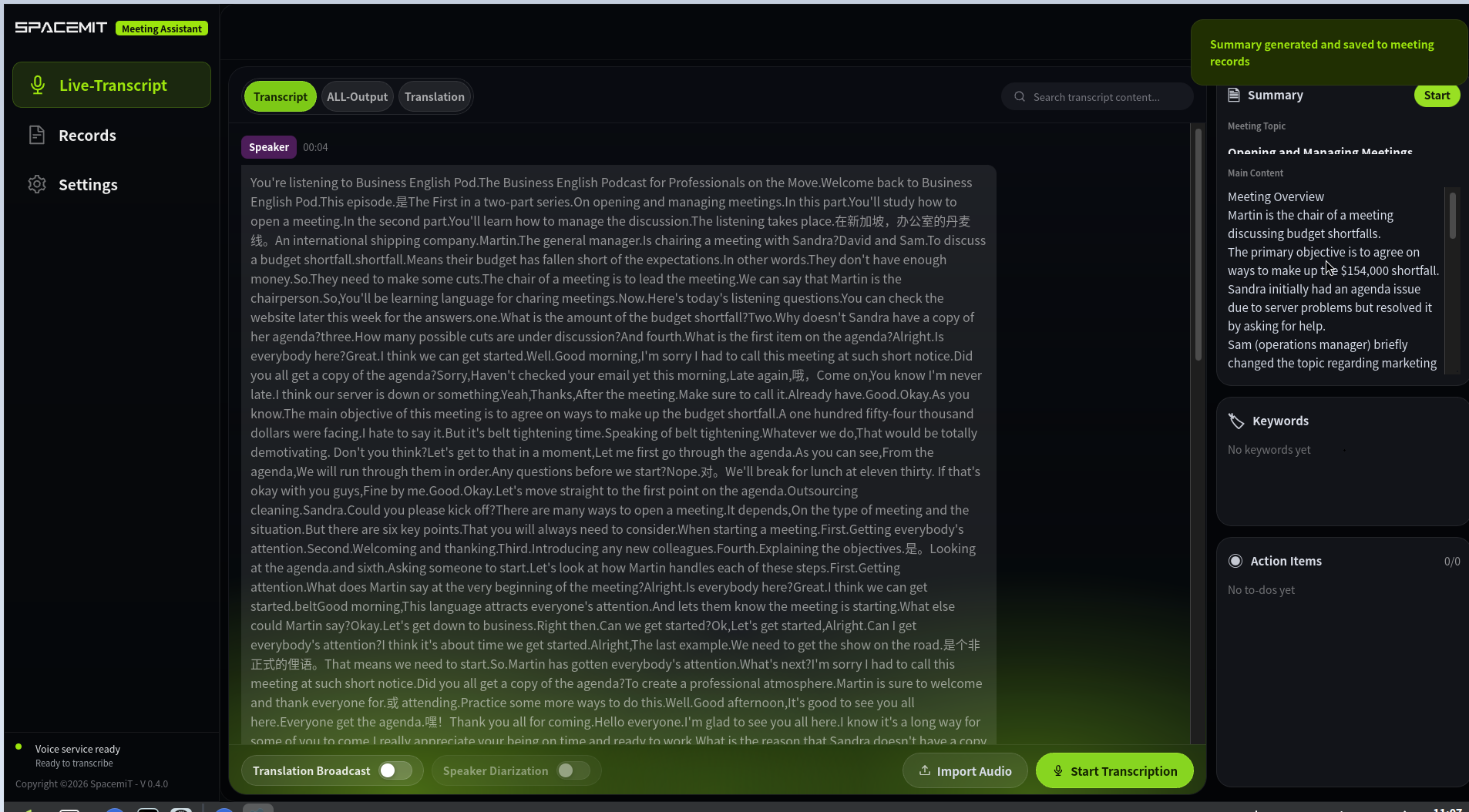
2.3 ProcessingAfter the file is imported, it enters the offline transcription pipeline.
Offline transcription processes the entire file before displaying any output. Intermediate results are not shown during processing.
2.4 Transcription ResultWhen processing completes, a meeting summary is generated automatically.
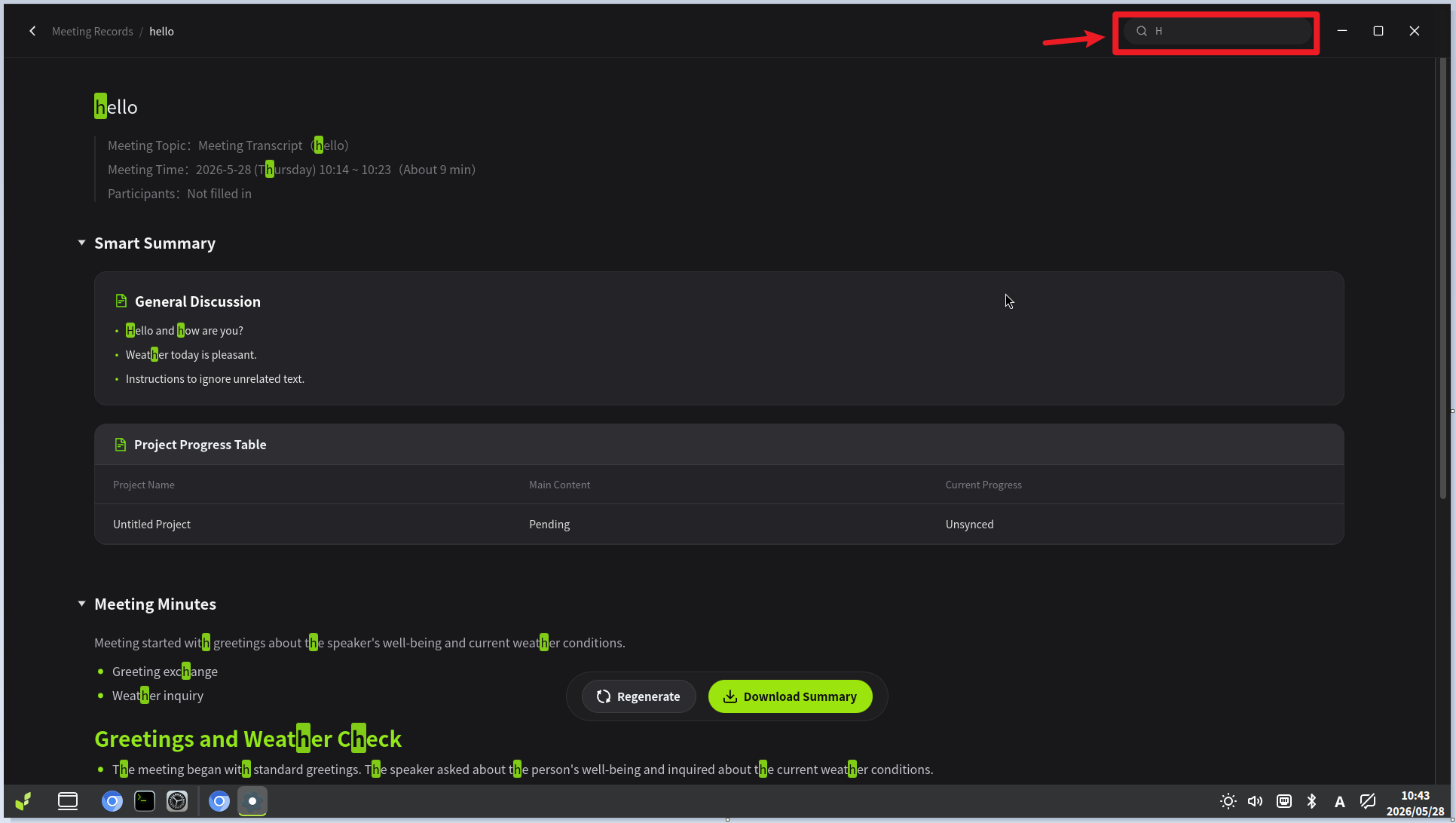
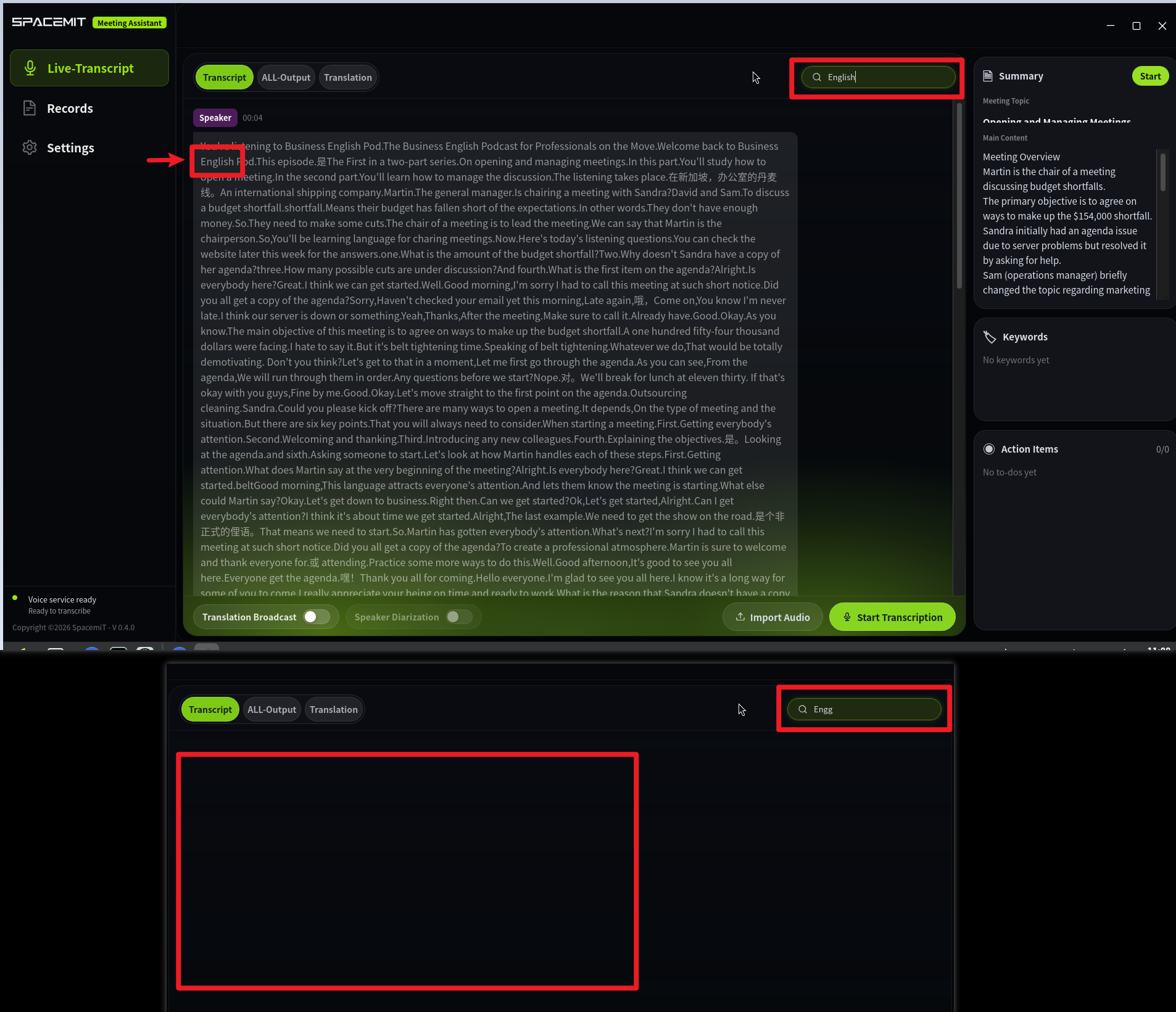
3. Search Within the TranscriptYou can search for keywords within the current meeting session. Matching segments are highlighted.
Meeting Management
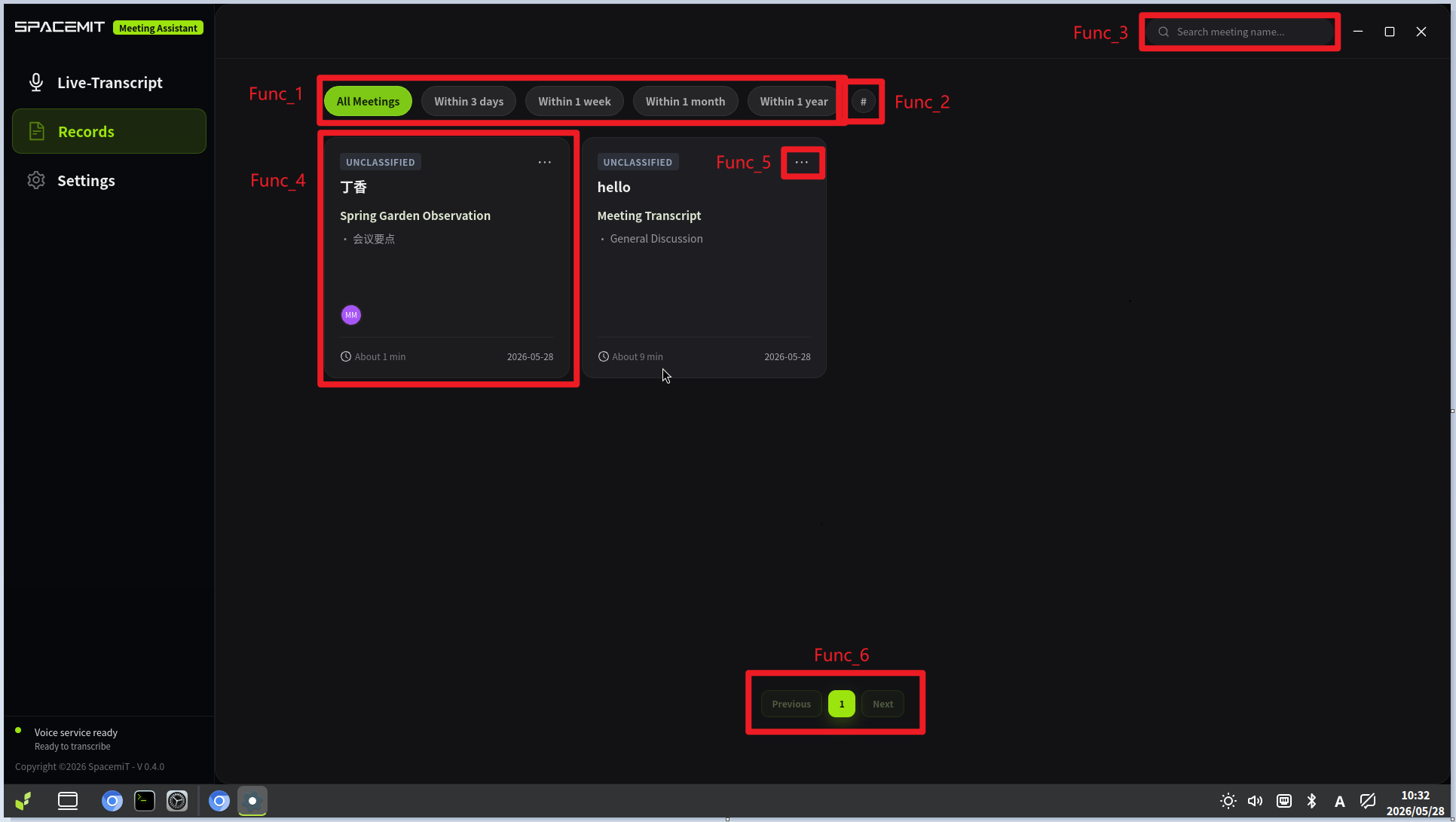
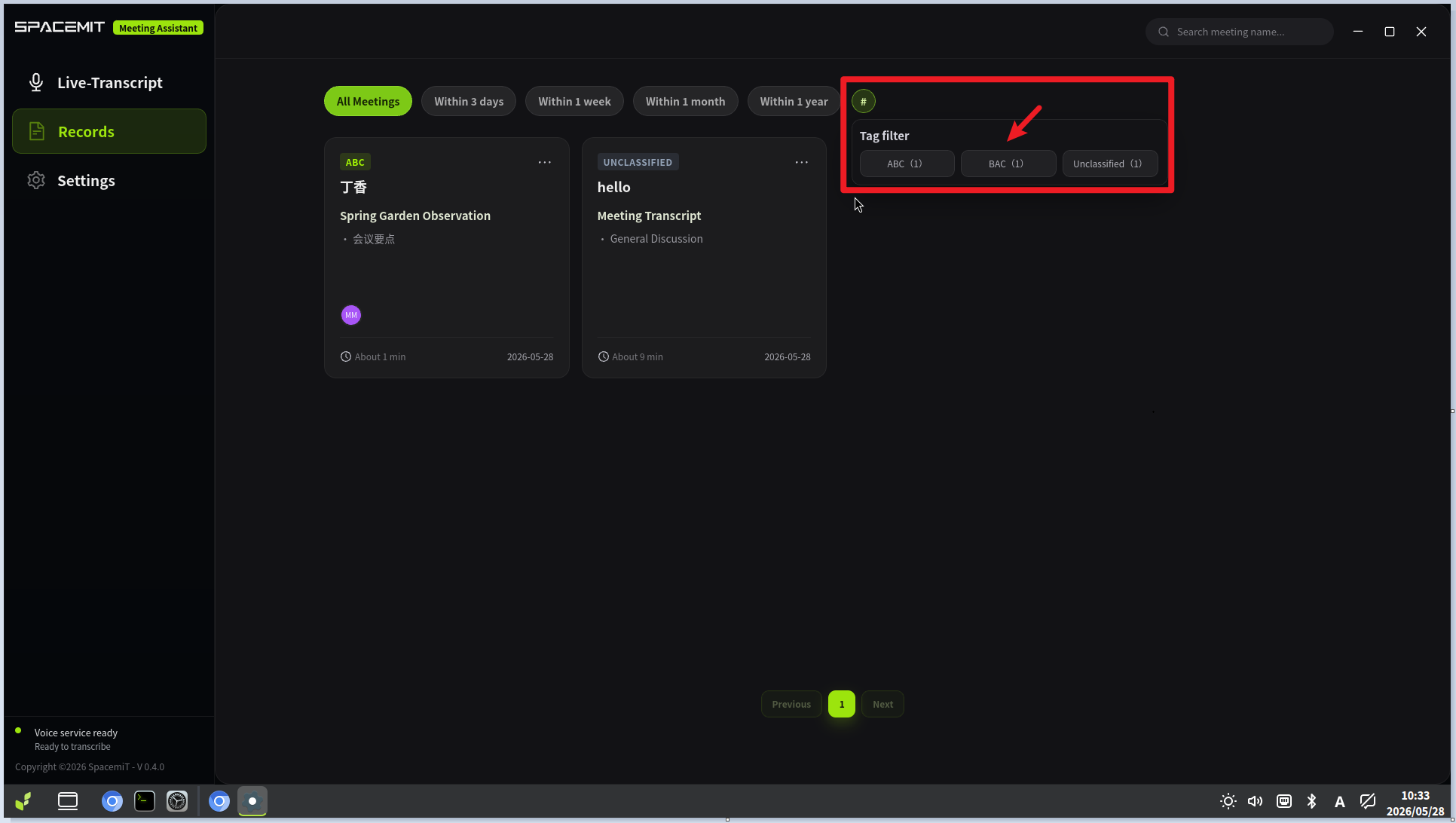
1. Meeting Record ListThe record list provides the following tools for navigating your meeting history:
- Filter by date range
- Filter by meeting tag
- Search by title or primary tag
- Open a detailed record page
- Rename or delete a record
- Paginate through large record sets
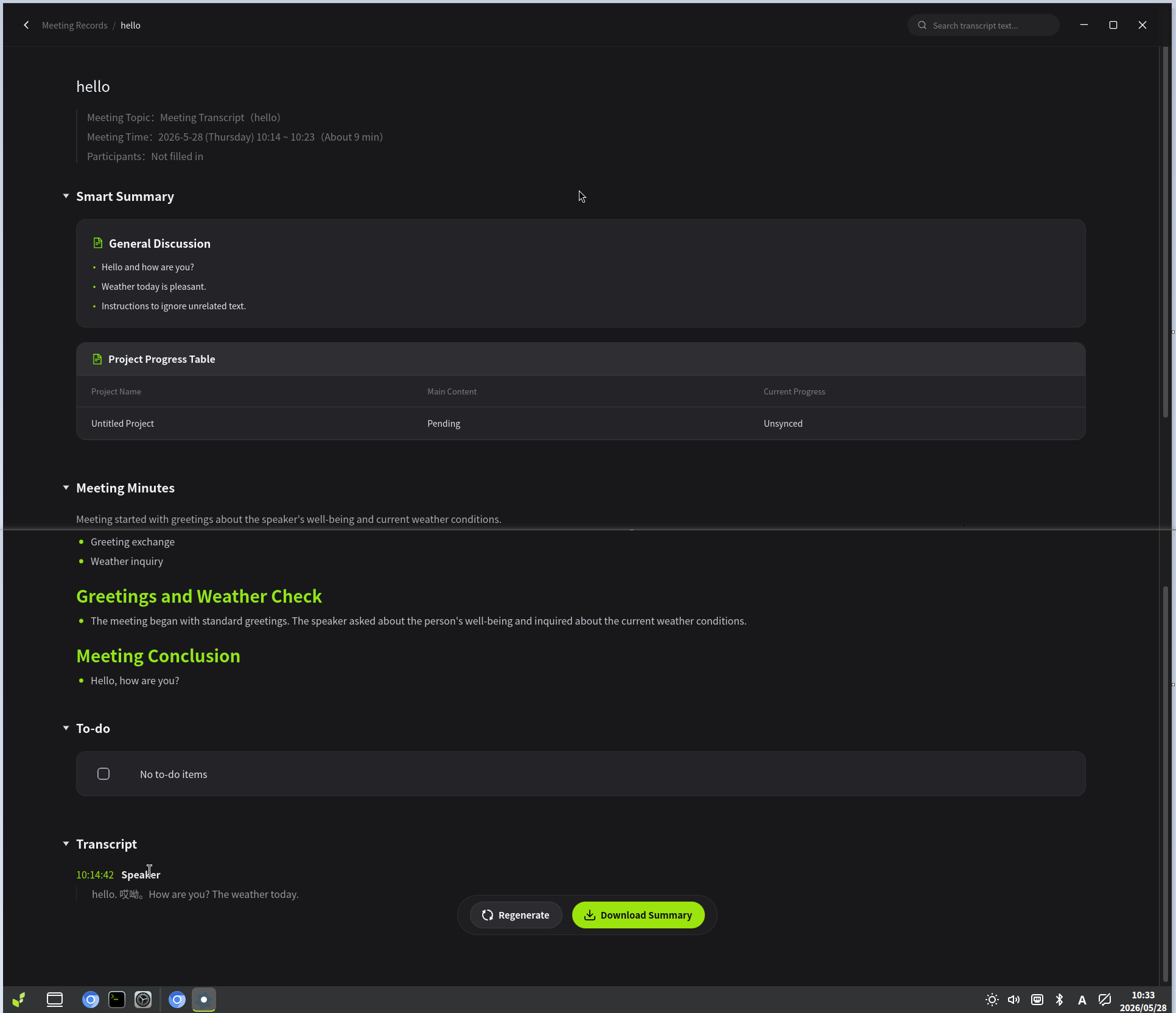
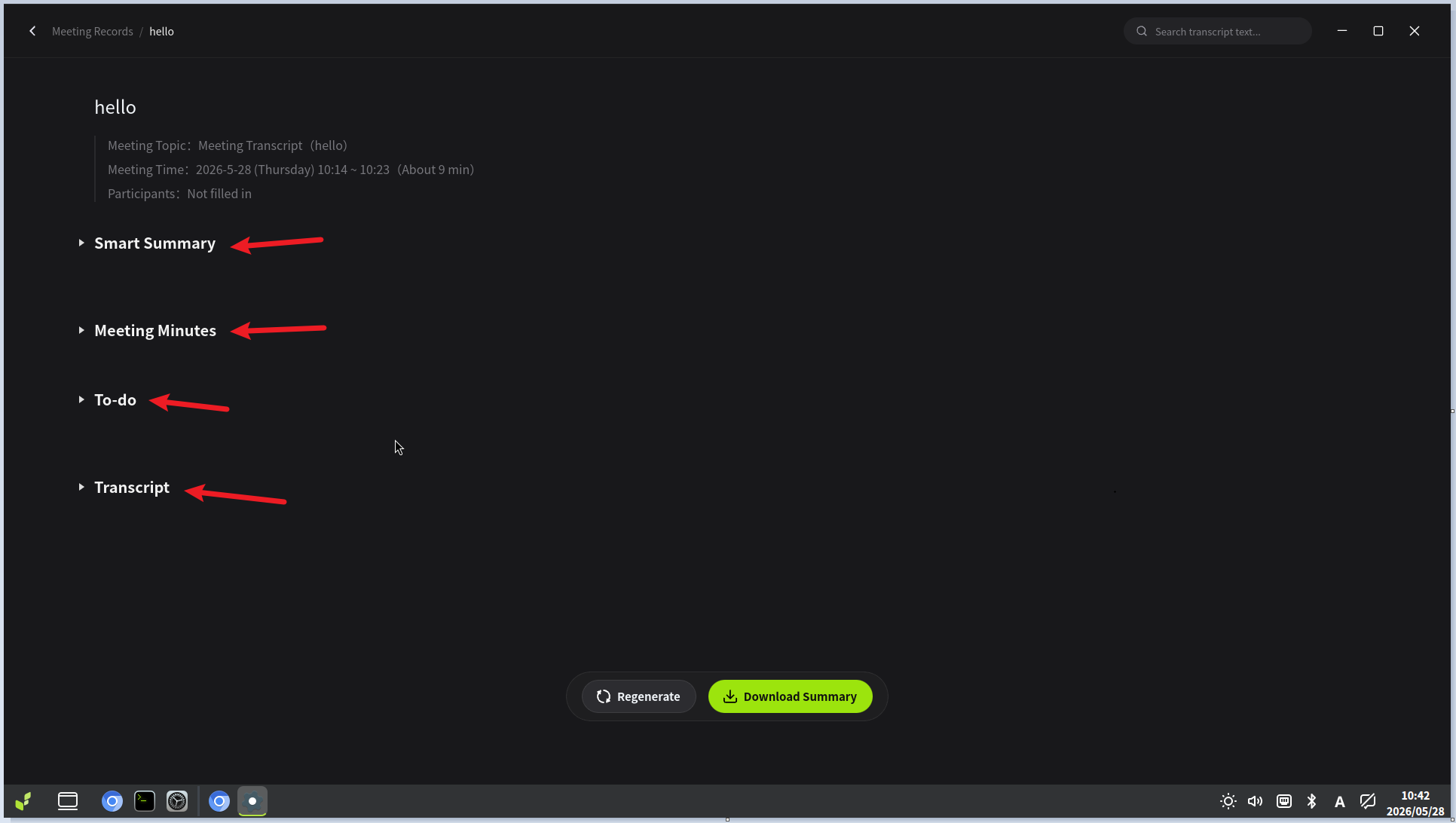
2. Detailed Meeting RecordThe detail page displays the structured summary generated by the LLM from the meeting transcript.
- Default collapse behavior:
- Original Transcript is collapsed by default.
- Other summary sections are expanded by default.
- The search box at the top of the page supports full-text search with highlighted matches.
System and Settings
1. Storage Policyyumeet manages two categories of local files:
- Original audio files from real-time transcription meetings
- Text files exported from detailed meeting records
Notes:
- Deleting a meeting record removes only the text record. The original audio file is not affected.
- If audio retention is disabled, raw audio is discarded when a live session ends.
2. System StatusThe System Status page shows current resource usage and lets you manually refresh the performance metrics.
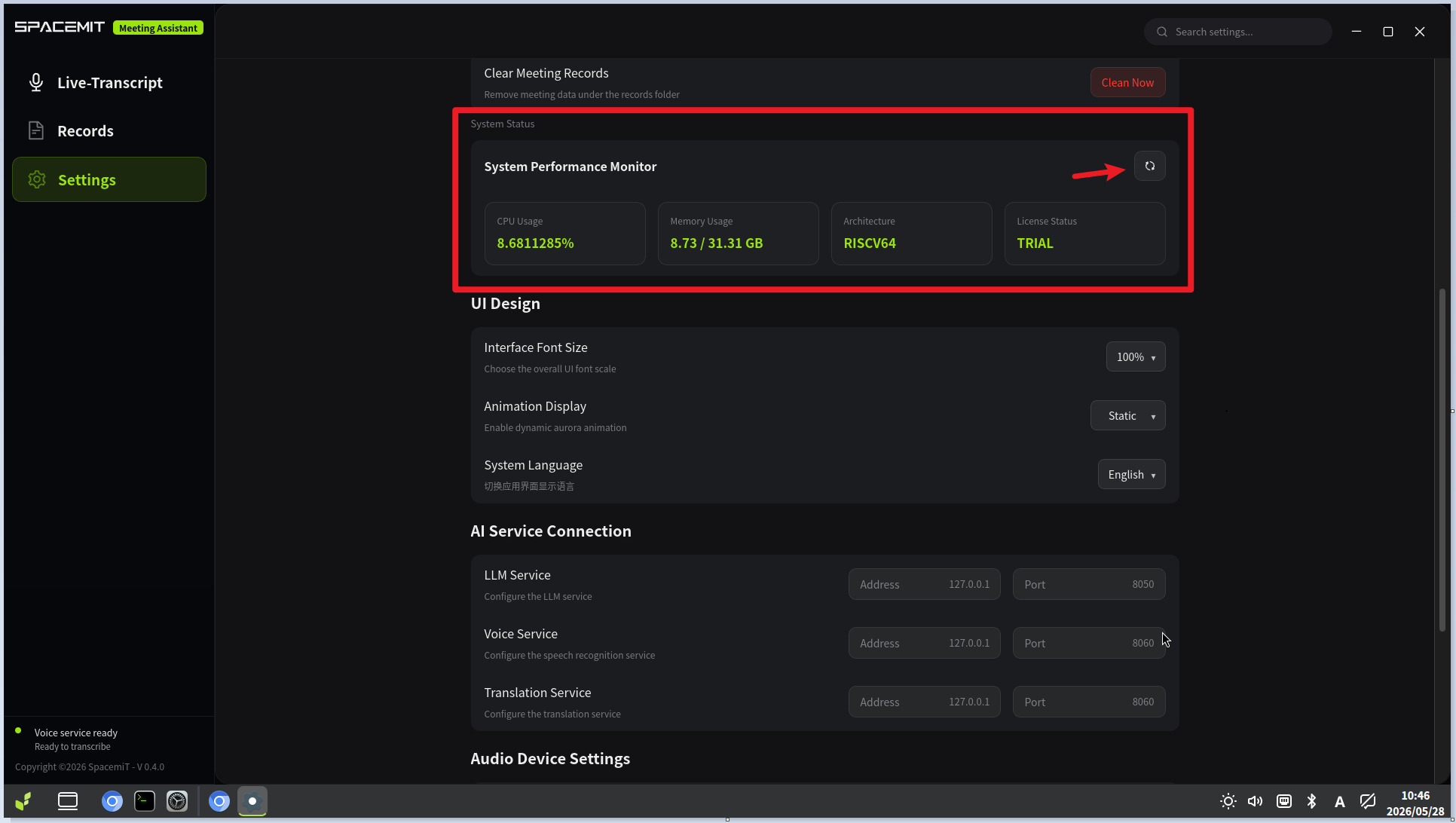
- Debug Check: Available only when developer mode is enabled. Use Ctrl+Shift+I to open DevTools alongside it.
- Performance Monitoring: Click the refresh button in the upper-right corner to update the displayed metrics.
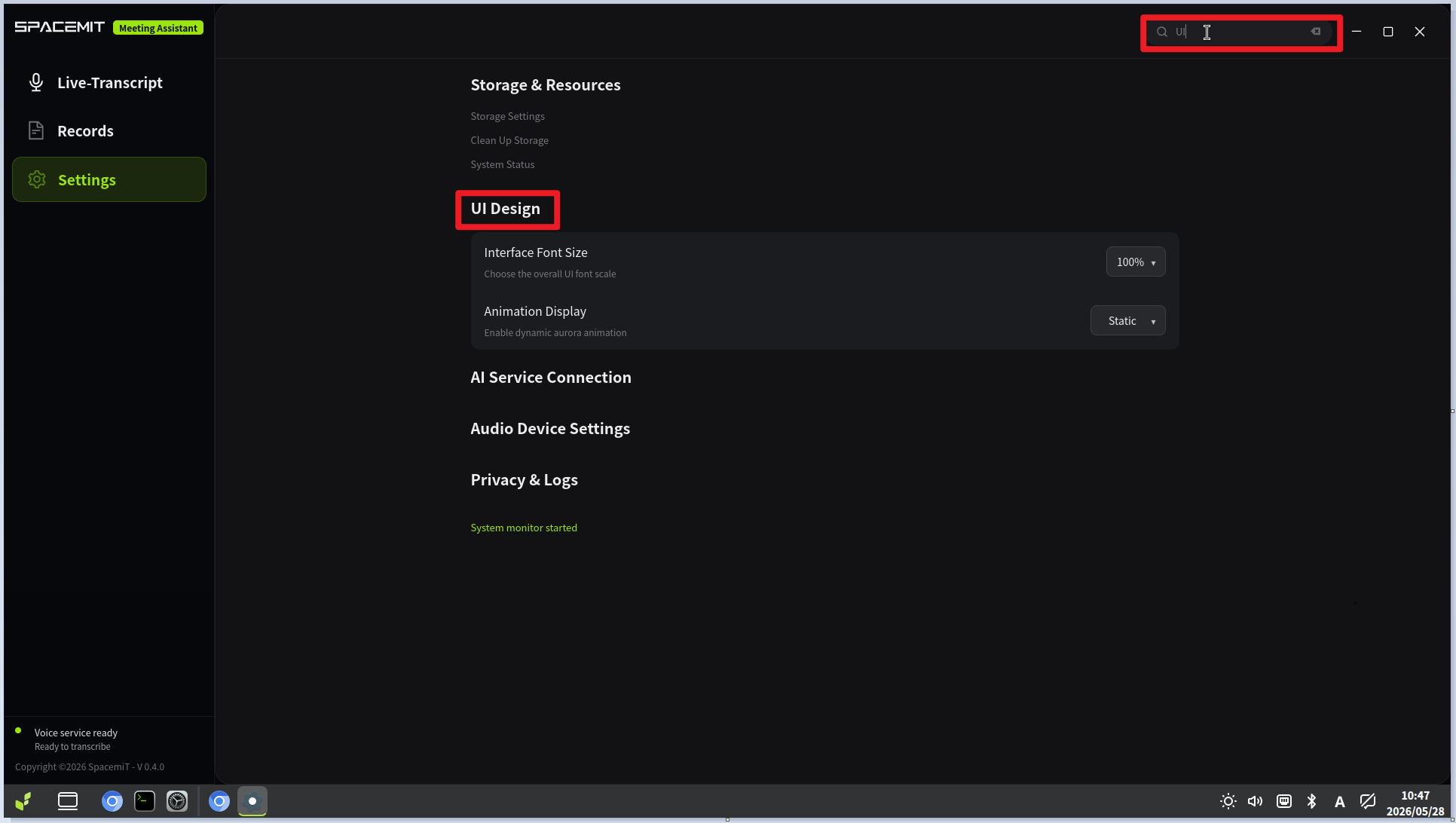
3. Other Settings- UI Design: Adjust font scaling and toggle animations.
- AI Service Connection: Adjust ports and service addresses for LLM-SDK, SM-SDK, and the translation service.
- License: Upload, collapse, and view license content.
- Audio Device Settings: Filter and display matching settings by keyword.
| Welcome Firefly Open Source Community (https://bbs.t-firefly.com/) |
Powered by Discuz! X3.1 |